 how-to
Integrating Loyalty Programs With DMS: A How-To Guide
Table of Contents
- Why Integrating Loyalty Programs With Your DMS Matters
- Understanding Your DMS and Loyalty Platform Architecture
- Step 1: Audit Your Current Tech Stack and Integration Points
- Step 2: Map Data Fields and Set Up API Documentation
- Step 3: Configure Real-Time Data Synchronization
- Automating Customer Communication Workflows for Service Retention
- Measuring Service Lane Customer Lifetime Value After Integration
- Dealership Service Lane Retention Strategies: Avoiding Common Integration Pitfalls
- Frequently Asked Questions
Last Updated: October 4, 2026
Why Integrating Loyalty Programs With Your DMS Matters
Most dealerships treat each service visit as a standalone transaction, missing the bigger picture that integrating loyalty programs with DMS is an opportunity to strengthen loyalty and drive repeat business.
Integrating loyalty programs with your DMS gives your team a unified view of each customer's service history, rewards balance, and engagement status, separating dealerships that keep customers coming back from those that watch them drift to competitors.
Fragmented systems create blind spots: a customer's loyalty points sit in one platform while their service record lives in another, leaving your team unable to see redemption readiness or maintenance needs.
When you integrate loyalty programs with your DMS properly, your service advisors see a customer's full picture at check-in: who's earned rewards, who needs a nudge back in, and who's ready for upsells. Real-time data flows between systems, communication becomes automatic, and customer lifetime value climbs.
Understanding Your DMS and Loyalty Platform Architecture
Your DMS tracks service appointments, technician hours, and parts orders. Your loyalty platform manages rewards, points balances, and redemption rules. These two systems rarely talk to each other out of the box.
What data flows between systems
Critical data types must flow seamlessly between systems: customer identity (so both systems recognize the same person), service details (type, cost, duration, completion date), and transaction data for loyalty calculations.
Transaction data determines point allocation; without real-time sync, you're manually entering transactions or customers miss points. Service history informs retention strategies, telling your loyalty platform when a customer last visited and whether they're overdue for maintenance.
Customer communication preferences must sync so outreach stays relevant and respects customer wishes.
Common integration approaches
Most dealerships choose between API-based integration (direct connection offering real-time sync but requiring technical setup) or middleware platforms (easier initial setup but potentially slower).
Choose based on your technical capacity and urgency for real-time updates.
Step 1: Audit Your Current Tech Stack and Integration Points
Before integrating, map every system your dealership uses: DMS, email platform, customer database, accounting software, service scheduling tool.
Document each system's API availability, data storage, and current manager. Check contracts, some DMS platforms offer loyalty integrations you haven't activated.
Identify data silos: service history trapped in your DMS, reward points not syncing to advisors' screens. These gaps are where integration opportunities hide.
Interview your team about missing information. A service advisor who can't see loyalty status at check-in or a manager manually exporting data weekly reveals integration gaps.
Document integration points: where systems currently connect and where they should. Manual data entry is an integration point waiting to be automated.
Step 2: Map Data Fields and Set Up API Documentation
Now that you understand your tech stack, it's time to get specific about data mapping. This is where integration gets technical, but it's essential to get right.
Create a spreadsheet with three columns: DMS field name, loyalty platform field name, and sync direction. For example, your DMS might call a customer's phone number "mobile_contact" while your loyalty platform calls it "phone_number." You need to document these mismatches so your integration knows how to translate between them.
Essential data points to sync
Start with the core fields. Customer ID must match across systems, this is your anchor. First and last name, email address, and phone number need to sync accurately. Service date, service type, and service cost are critical for loyalty calculations. Customer lifetime value calculations depend on accurate transaction history.
Loyalty balance, the number of points or credits a customer has earned, must sync from your loyalty platform back to your DMS so advisors see it at check-in. Redemption history shows what rewards a customer has claimed and when. Opt-in status for communications ensures you're only reaching out to customers who want to hear from you.
Don't try to sync everything at once. Start with these core fields and add more once the foundation is solid.
Testing your API connections
Before you go live, test every connection. Use your DMS and loyalty platform's sandbox or testing environments. Create test customer records and run transactions through both systems. Verify that data appears in the right place and in the right format.
Common issues to watch for: date formats (does one system use MM/DD/YYYY while another uses DD/MM/YYYY?), decimal places in dollar amounts, and character limits in text fields. A field that accepts 50 characters in one system but only 30 in another will cause truncation problems.
Test the sync speed. How long does it take for a service transaction to appear as loyalty points in your customer's account? Real-time sync typically means seconds to a few minutes. Anything longer creates a gap where customers might not see their rewards immediately.
Document your testing results. Write down what worked, what failed, and how you fixed it. This becomes your troubleshooting guide when issues arise later.
Step 3: Configure Real-Time Data Synchronization
Real-time data synchronization is where integration stops being theoretical and starts delivering actual value. When a customer completes a service appointment, their loyalty points should update instantly.
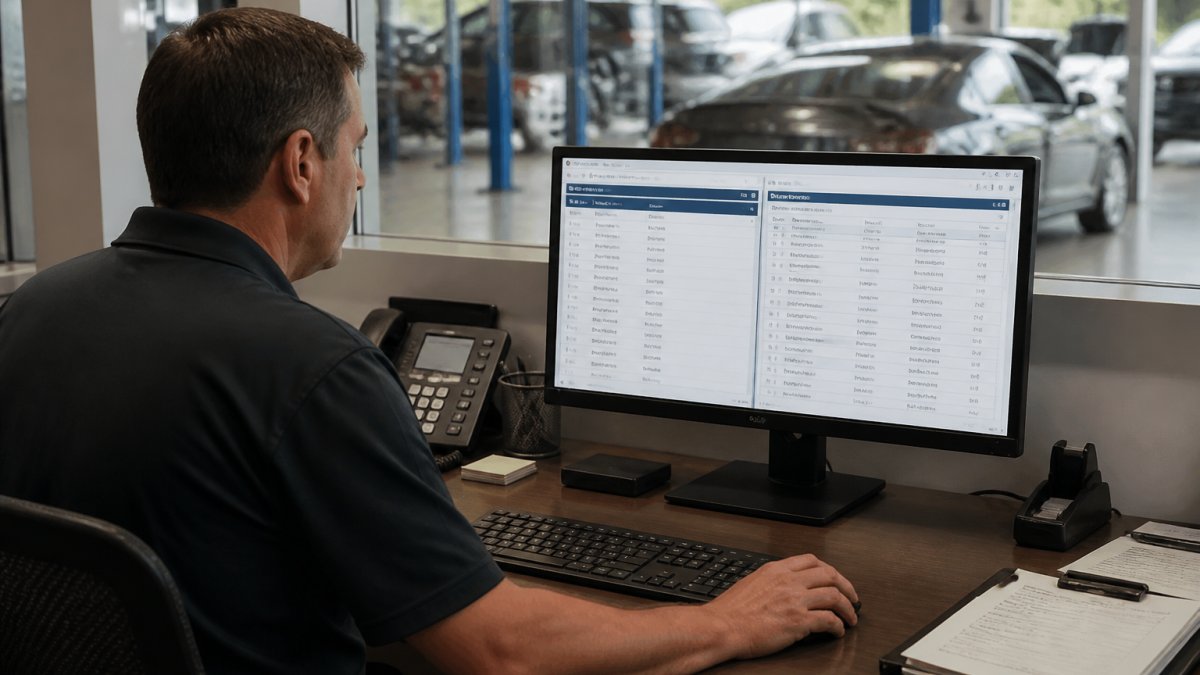
Configure your API to push transaction data from your DMS to your loyalty platform as soon as a service is marked complete.
Establish error handling. What happens if the sync fails? Build in alerts so your team knows when data isn't flowing. Most integration platforms let you set up automatic retries that attempt to resync failed transactions.
Test your real-time sync under load. Run it during a busy Saturday when multiple advisors are checking customers in simultaneously. Does it keep up? Does latency increase?
Monitor sync accuracy continuously. Run periodic audits comparing customer records in your DMS against your loyalty platform. Look for mismatches in point balances, transaction histories, or customer contact information. Small discrepancies compound over time and erode customer trust.
Automating Customer Communication Workflows for Service Retention
Once your data syncs in real time, you can automate customer communication that actually moves people to action. The goal is simple: reach the right customer with the right message at the right time, automatically.
Set up automated reminders for customers who are due for service. Your DMS knows when their last service was and what maintenance intervals apply to their vehicle.
Build win-back campaigns for customers who haven't visited in 90 days or longer. Your integration lets you identify these customers automatically.
Create post-service follow-up sequences. After a customer completes a service appointment, automatically send a thank-you message with their updated loyalty balance and information about their next recommended maintenance. Include a link to schedule their next appointment.
Use customer segmentation to make communication relevant. Customers who frequently purchase premium services get different messages than those who only do basic maintenance. Customers with high loyalty balances get redemption reminders.
Measure what works. Track which automated messages drive customers to schedule appointments. Which loyalty offers get redeemed? Use this data to refine your workflows. Stop sending messages that don't convert. Double down on ones that do.
Measuring Service Lane Customer Lifetime Value After Integration
Customer lifetime value is the total profit your dealership expects to make from a customer over your entire relationship with them. Measuring it properly requires integrating data across service visits, parts sales, and loyalty program engagement.
Start by calculating the average service visit value. Add up all service revenue over the past year and divide by the number of service visits. This gives you a baseline.
Monitor repeat visit frequency. How many months pass between service appointments for a typical customer? Track this metric before and after integration.
Factor in loyalty program impact. Customers who redeem rewards have higher engagement and retention. Calculate the incremental revenue these customers generate compared to customers who never use your loyalty program.
Build a cohort analysis. Group customers by when they started using your integrated loyalty program.
Document your findings. Share the results with your team. Show service advisors how many additional visits they're getting from loyalty-engaged customers. Show management how customer lifetime value has increased. These numbers justify the effort and encourage adoption.
Dealership Service Lane Retention Strategies: Avoiding Common Integration Pitfalls
Integration projects fail not because the technology doesn't work, but because teams don't adopt it properly. Avoid these common pitfalls and your integration will stick.
Data integrity and legacy system migration
Your legacy DMS might have years of messy data. Duplicate customer records. Inconsistent phone number formats. Service records with missing details. You can't integrate your way out of bad data. You have to clean it first.
Before you integrate, audit your existing customer database. Merge duplicate records. Standardize formats. Fill in missing information where possible. This takes time, but it prevents garbage-in-garbage-out problems that will plague your integration.
Plan your data migration carefully. Don't just dump everything from your old system into your new one on day one. Use a phased approach. Migrate your most active customers first. Test the integration thoroughly. Then gradually bring in older customer records.
Document your data mapping decisions. Why did you choose to map one field to another? What transformations did you apply? This documentation becomes invaluable when you troubleshoot issues or onboard new team members.
Compliance and data privacy considerations
Integrating systems means more places where customer data lives. You need to ensure you're protecting it properly. Understand what data you're collecting and why. Get customer consent for data use in your loyalty program. Respect opt-out requests for communications.
Document your data handling practices. Know where customer information lives, who can access it, and how long you keep it. Regular audits ensure your integration isn't creating unintended data exposures.
Train your team on data security. Service advisors shouldn't share customer loyalty information casually. Finance staff shouldn't leave terminals with customer data visible. Your integration is only as secure as your team's practices around it.
The process of integrating loyalty programs with DMS is a significant undertaking, but the payoff is substantial. Your team gains visibility into customer behavior. Your customers experience seamless, personalized service. Your dealership captures more repeat business from every service visit. The integration work upfront pays dividends in customer retention and lifetime value for years to come. DriveIQ makes this integration straightforward by combining your loyalty program, prepaid maintenance, and targeted communication in one platform that connects directly to your existing dealership workflow. See DriveIQ in action ›
Frequently Asked Questions
Why is integrating loyalty programs with a DMS critical for dealership ROI?
Integration eliminates manual data entry and ensures customer service history, purchase patterns, and loyalty rewards sync automatically. This real-time visibility lets your team trigger targeted follow-ups, prepaid maintenance offers, and personalized incentives at the right moment, dramatically improving service lane repeat visits and customer lifetime value. Without integration, loyalty data sits in separate systems, forcing staff to juggle spreadsheets and missing retention opportunities.
What are the main challenges when syncing loyalty software with a DMS?
Common obstacles include mismatched data formats between platforms, incomplete API documentation from vendors, legacy systems that lack modern integration capabilities, and data mapping errors that create duplicate or missing customer records. Many dealerships also struggle with real-time synchronization delays, which can cause customers to receive outdated offers or miss earned rewards. Compliance and data privacy requirements add another layer, ensuring customer information is handled securely during transfer between systems.
How do I know if my DMS supports API integration with loyalty platforms?
Check your DMS vendor's API documentation or contact their support team directly. Ask whether they offer REST or SOAP APIs, what data endpoints are available, and whether they provide sandbox environments for testing. If your DMS is older, it may require middleware or third-party integration tools to bridge the gap. DriveIQ's support team can also help assess your current system's compatibility and recommend the best integration path for your dealership's specific setup.
Can I integrate a loyalty program with a legacy dealership management system?
Yes, but it requires additional planning. Legacy systems often lack native API support, so you may need middleware or data synchronization software to translate between old and new platforms. Some dealerships use scheduled batch uploads or manual reconciliation as a temporary solution, though this adds operational overhead. A phased migration, where you gradually move customer data and workflows to modern systems, often works better than attempting a full cutover at once. Consulting with your DMS vendor and integration partner before committing to a timeline is essential.